



Version 28.0.0.0
Release date pending
- Initial Microsoft AppSource release.
Payment Integrator adds Authorize, Capture, Void and Pay Now to the Sales Order, and Refund to the Posted Sales Invoice, through Stripe, Square, Adyen, Authorize.Net or Braintree. You bring your own processor account. An administrator picks the processor.
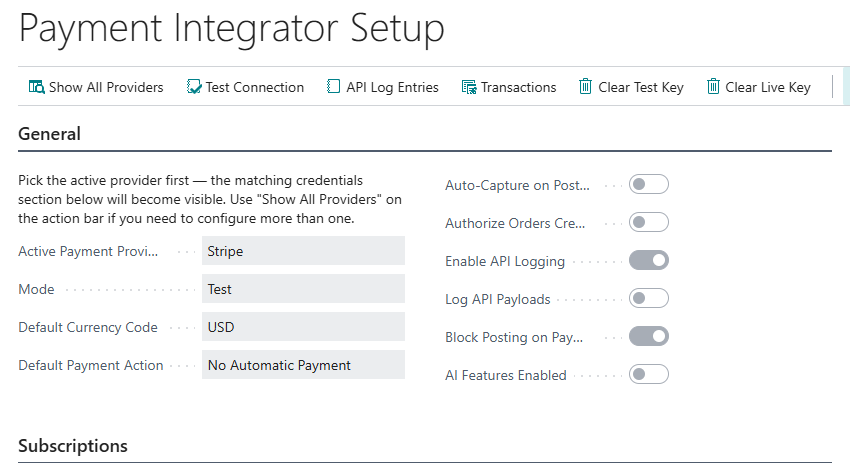
Payment actions sit on the Sales Order and stay greyed out until the active processor has a stored key. Cards are added in the processor's own tools: Business Central has no card entry screen. Card Preview is a demo that takes six digits at most.
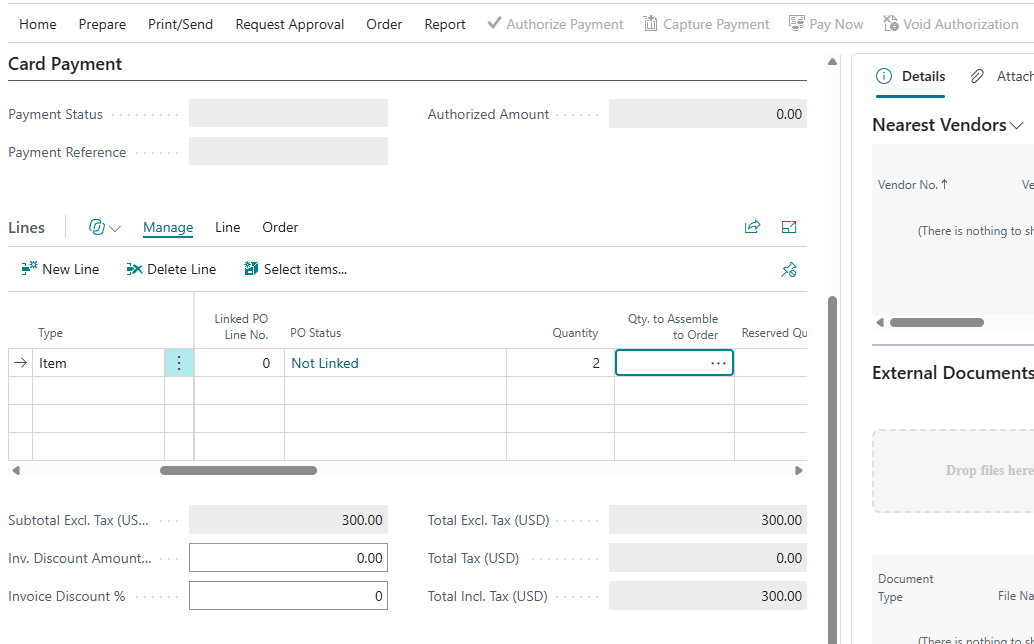
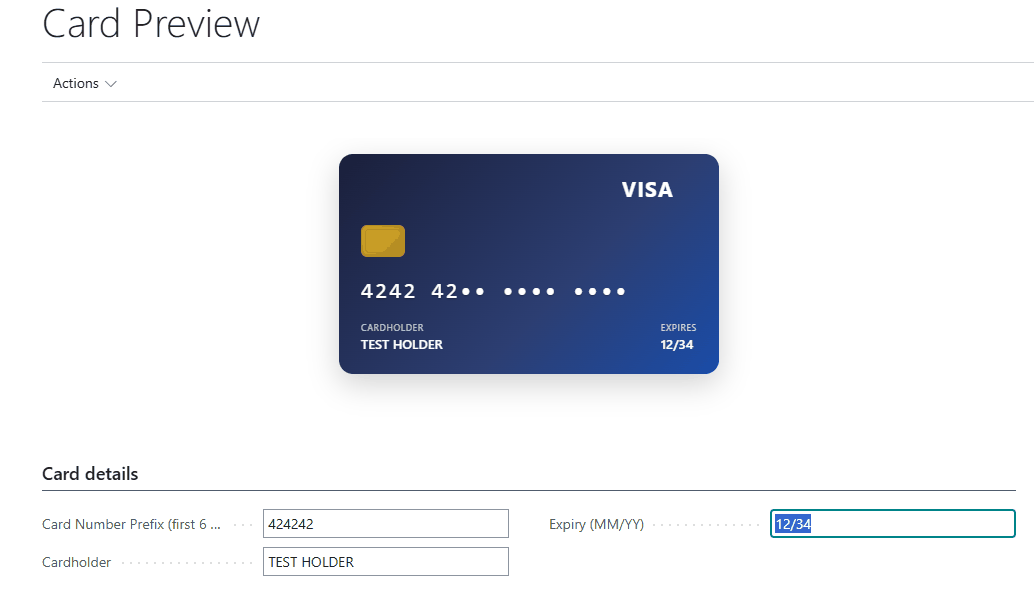
Payment Integrator Setup holds the processor, the mode and the switches that decide when a payment happens. Keys go into a masked field and are not shown again once saved.
Choose a processor, take the payment from the Sales Order, refund from the Posted Sales Invoice, and keep a record of every step.
Native connectors for Stripe, Square, Braintree (PayPal), Adyen, and Authorize.net — switch processors, run several in parallel, or fail over without changing BC workflows
Authorize, Capture, Pay Now, Void, and Refund (full and partial) — same BC actions and remaining-amount tracking across every gateway, with proper per-processor semantics
Optional auto-authorize on release and auto-capture on posting per gateway, with configurable blocking mode to require payment before posting
Drive recurring billing through Stripe Subscriptions, Braintree Recurring Billing, Authorize.net ARB, Adyen Subscriptions, or Square Subscriptions — with unified create, cancel, pause, resume controls
Sync products and prices from any connected gateway with optional BC Item mapping for automatic Sales Invoice or General Journal creation when subscription invoices are paid
One BC Customer record, every gateway — link to Stripe Customers, Square Customers, Braintree Vault, Adyen Shoppers, and Authorize.net Customer Profiles, all surfaced in one Payment Methods FactBox
Card data is tokenized at the gateway (Stripe.js, Square Web Payments SDK, Braintree.js, Adyen Web Components, Authorize.net Accept.js) — BC and our servers never see raw PAN. API keys live in IsolatedStorage with SecretText, idempotency keys on every POST, split Operator/Admin permission sets, and a single cross-gateway API log
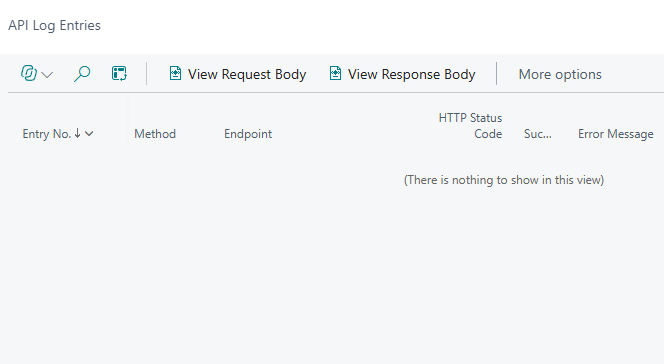
Payment Transactions lists each payment operation with its type, status, provider, amount, currency and payment reference. API Log Entries lists each call to the processor with its method, endpoint, HTTP status code and duration. Both open from Payment Integrator Setup, and the API log is for administrators.
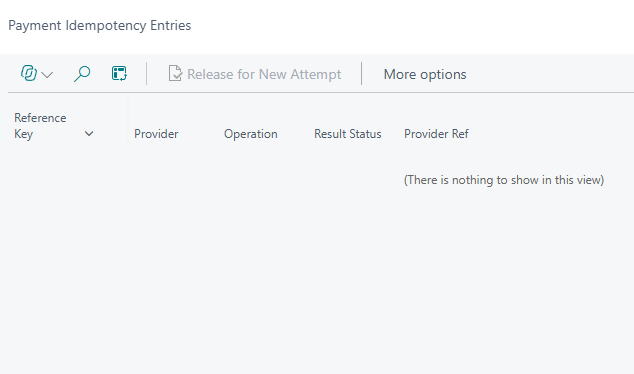
Each payment operation is sent with an idempotency key, and a retry of the same operation reuses it, so a processor that supports idempotency can return its saved answer. For Square, Adyen, Authorize.Net and Braintree, administrators can see each operation on Payment Idempotency Entries.
These AI-powered features activate when you connect an AI provider through ProApps Command Center, which is included with every extension. Bring your own AI: Microsoft Copilot Credits, Azure AI Foundry in your tenant, or a third-party model (Claude, ChatGPT, Gemini, XAI, DeepSeek, Mistral, GROQ, or a custom endpoint).
Blends fraud signals from every connected gateway (Stripe Radar, Square Risk, Braintree Advanced Fraud Tools, Adyen RevenueProtect, Authorize.net AFDS) with BC history (first large order? unusual ship-to? dimension mismatch?) into a single risk score with a plain-English explanation before charge.
Instead of a fixed retry cadence, AI learns the best retry time per customer, card, and gateway — and can route a soft-declined retry to a different processor entirely to lift recovery rates.
AI drafts tone-appropriate payment reminders that reference the specific invoice context, in the customer's preferred language.
On dispute, AI assembles BC evidence (delivery proof, agreements, communications) and drafts the dispute response in the right format for whichever gateway raised it (Stripe, Square, Braintree, Adyen, or Authorize.net), ready for review.
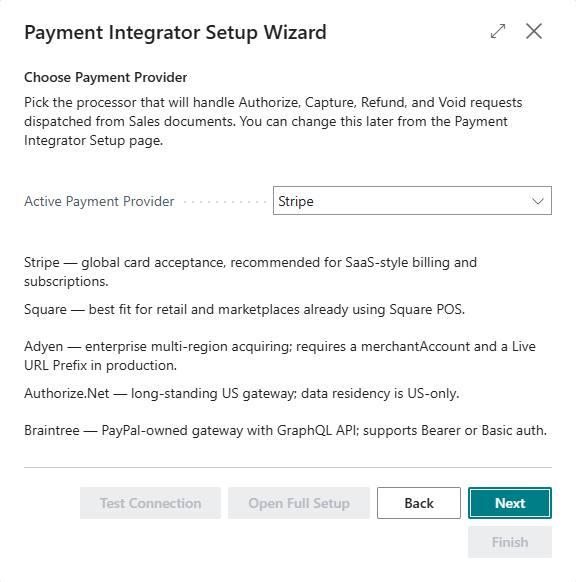
The Payment Integrator Setup Wizard has seven steps and shows only the credentials of the processor you pick. Search for Payment Integrator Setup Wizard, or open Assisted Setup and choose Set up Payment Integrator. Close it at any point and your progress is kept. The last two steps are shown together below.
Payment Integrator is on its way to Microsoft AppSource. The 30-day trial starts when you install it, with every feature on. ProApps Command Center installs alongside it and manages the license.
Every ProApps extension talks to every other. Add a companion extension and unlock capabilities that neither can deliver alone.
Payment events update coupled CRM records — mark Salesforce opportunities Closed-Won, update HubSpot deal stages, or close Zendesk tickets. Payment failures create CRM tasks automatically.
Refunds above a threshold require approval workflows. Manual payment overrides and credit limit increases are gated by approval.
Mask sensitive payment data — card last 4 digits, transaction IDs, and customer IDs from any connected gateway (Stripe, Square, Braintree, Adyen, Authorize.net) — for non-finance users.
Auto-capture payment when an SO is released. Trigger payment processing on batch post of sales invoices.
Auto-store payment receipts, refund confirmations, and chargeback documents linked to BC transactions in SharePoint.
Validate payment amounts, currency codes, and customer payment terms before capture. Block payment if the customer record fails validation.
Detect payment anomalies — amounts 10x typical, unusual frequency, mismatched currencies. Track declined payment patterns per customer.
Track payment status changes over time. View complete payment history timelines for dispute resolution.
When merging customer duplicates, consolidate customer IDs and stored payment methods across every connected gateway (Stripe, Square, Braintree, Adyen, Authorize.net). Prevent duplicate charges.
Auto-assign dimensions to payment journal entries based on customer or order dimensions for accurate financial reporting.
Get notified on payment capture, failures, refunds processed, and chargebacks received — all in your Teams channels.
Canvas app pages show payment status, gateway connection health (Stripe, Square, Braintree, Adyen, Authorize.net), and payment action buttons in an interactive interface.
When a deal hits "Won" and converts to an order, auto-trigger a payment link or charge on the configured gateway (Stripe, Square, Braintree, Adyen, or Authorize.net). Pipeline Board broadcasts the order-created event; Payment Integrator listens and initiates collection on the right processor.
Release date pending
